
You create the content.
Shield shows you what's actually working.
Every post, every metric, your entire history — so you can stop guessing and start growing.
See Your LinkedIn DataNo credit card required.
Helping a team build their brands? Let's talk →
You're posting consistently. But what's actually landing?
You show up three times a week. You write thoughtful posts, share insights from your work, maybe even go on a streak. But when you check LinkedIn's analytics, you get a handful of numbers on a single post — and nothing about the bigger picture.
You can't see your full post history. You can't filter by format or performance. You have no idea which topics resonate with your audience and which ones fall flat. You're building a personal brand on vibes, not data.
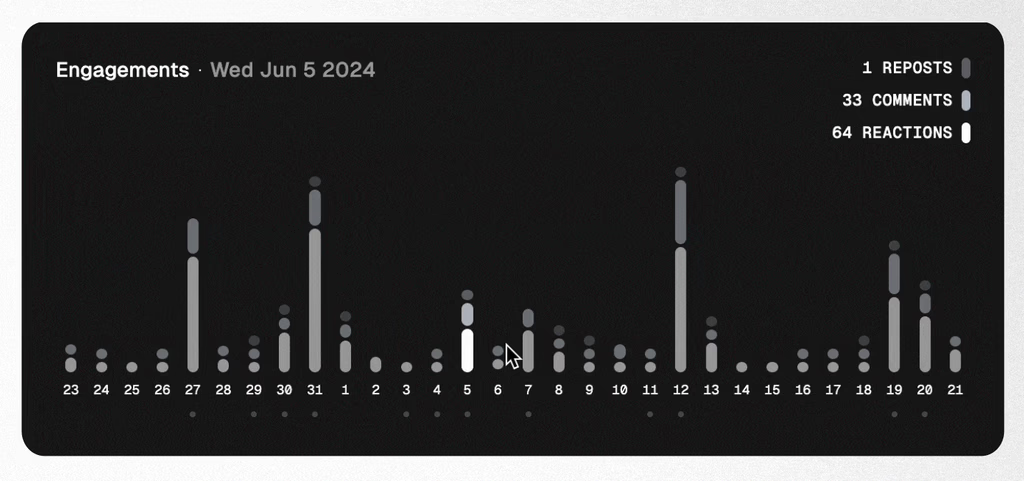
Shield is the analytics layer LinkedIn never built. It pulls in every post you've ever published, tracks your growth over time, and shows you exactly what's driving engagement — so you can do more of what works and less of what doesn't.
What Shield actually shows you
Four things LinkedIn's analytics can't tell you — but should.
Which posts to do more of
Filter your entire post history by engagement, impressions, or reactions. See patterns across formats — carousels vs. text vs. video — and double down on what your audience actually responds to.
Who your audience really is
Understand where your followers work, what industries they're in, and how your audience composition is shifting over time. Know exactly who you're reaching.
Your growth, tracked over months
LinkedIn shows you this week. Shield shows you this year. Track followers, engagement rate, and impressions across any time range — and see whether your strategy is actually working.
Your best content, saved for repurposing
Your top-performing posts are buried in your feed after a few days. Shield keeps them organized and searchable so you can find, revisit, and repurpose the content that already proved it works.
Common questions
How is Shield different from LinkedIn's built-in analytics?
LinkedIn shows you surface-level stats on individual posts — a like count here, an impression number there. Shield pulls in your entire post history and lets you analyze it across any time range. You can filter by format, sort by performance, track follower growth over months, and understand audience demographics. It's the difference between checking a single post and understanding your whole strategy.
What's included in the free trial?
Everything. Full analytics dashboard, complete post history, audience demographics, Shield Agent AI, and Collections. 7 days, no credit card required.
How long does setup take?
About two minutes. You connect your LinkedIn profile, Shield starts syncing your data, and your dashboard begins populating immediately. There's nothing to configure or install.
Can I track multiple LinkedIn profiles?
Yes. If you're building your own brand while helping others do the same — or managing profiles for clients — you can track multiple personal LinkedIn profiles from a single Shield account.
What payment methods do you accept?
We accept all major credit cards (Visa, Mastercard, American Express) through Stripe. If you need to pay by invoice or have other requirements, reach out to our support team.
Will you charge me after the free trial?
No. You won't be asked for payment details when you start your trial. When the trial ends, you simply choose a plan if you'd like to continue. No surprise charges, no auto-billing.
You're already doing the hard part
You're showing up, writing posts, building an audience. Shield just makes sure you know what's working — so every post counts a little more.
10,000+ creators and teams in 50+ countries trust Shield to track their LinkedIn performance.
See Your LinkedIn DataNo credit card required. Connect your profile, see your data in minutes.
Helping a team build their brands? Let's talk →